
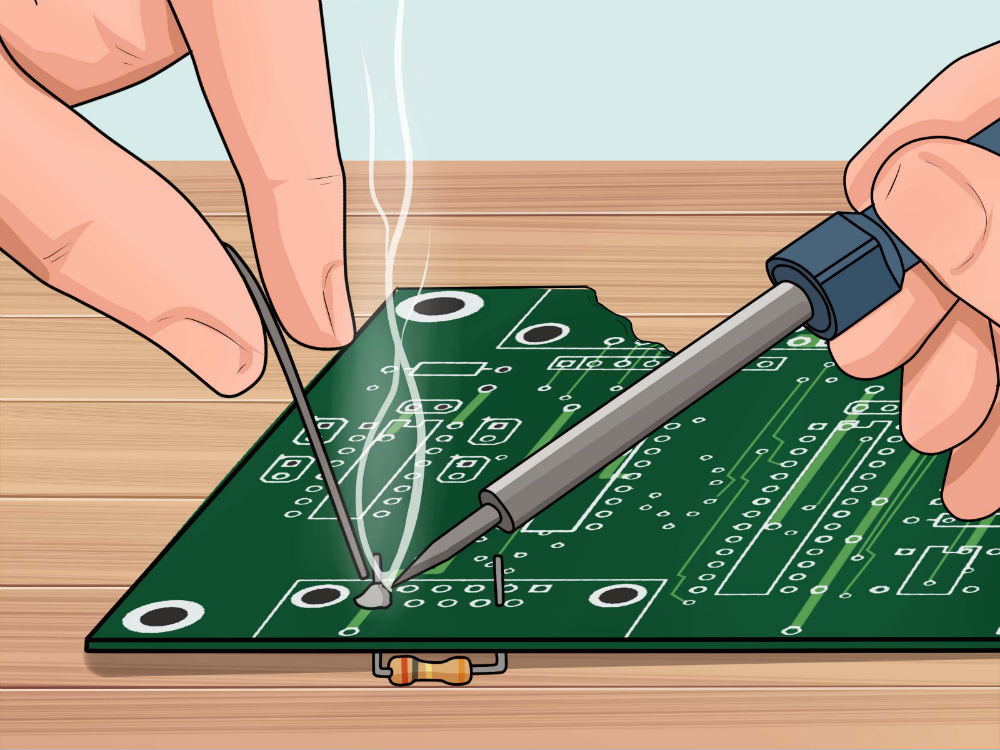
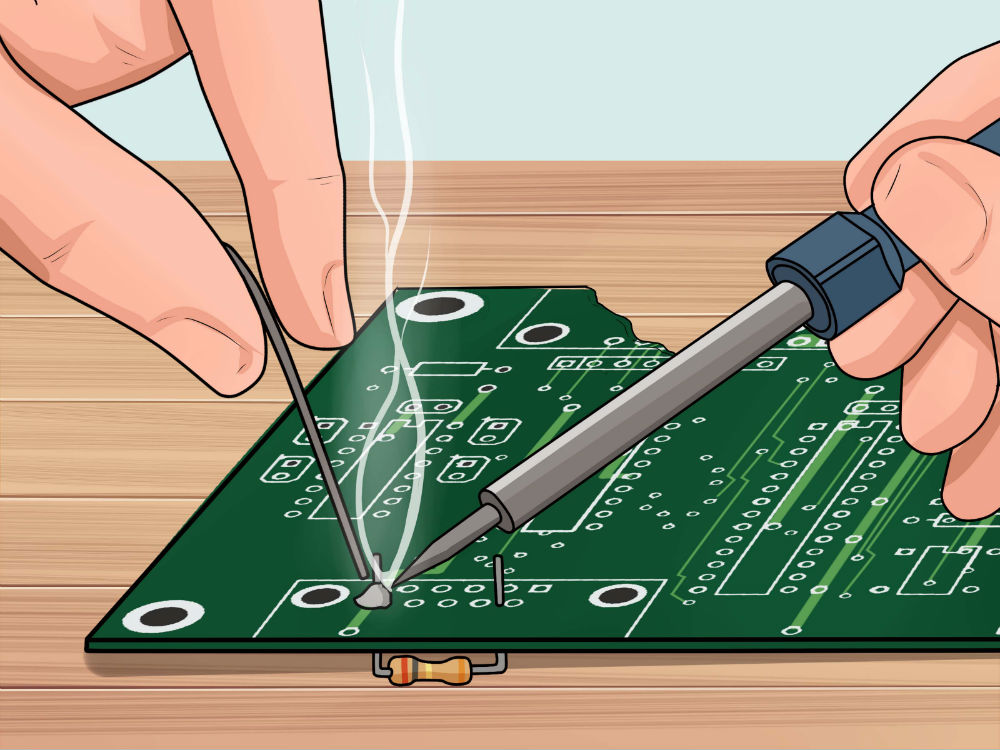
Two way radio repair and how to fix?
By Ion, Inc - www.twowayradio.com - Bruce F. , Two Way Radio Expert
Published: March 30, 2026
Reliable radio communication keeps teams coordinated, safe, and productive. When it falters, projects slow down, calls are missed, and critical details slip through the cracks. The good news: most two-way radio issues trace back to a small set of causes that can be identified and fixed with a structured approach. This guide explains why common problems happen, how to troubleshoot them step by step, and what you can do to optimize your system so issues become rare exceptions rather than daily headaches.
Why two-way radio problems happen
Radio systems are simple in concept: a transmitter sends an RF signal that a receiver decodes into audio. In practice, several variables interact at once:
- Frequency and propagation: VHF propagates differently than UHF. VHF can carry farther in open areas. UHF penetrates buildings better.
- Environment: Concrete, steel, low-E glass, machinery, and moving vehicles absorb or reflect RF.
- Antenna performance: Antenna height, tuning, and placement affect range and signal clarity.
- Power and battery health: Low voltage reduces transmit power and audio quality.
- Programming and fleet consistency: Mismatched channels, privacy codes, or time slots cause one-way audio or complete silence.
- Interference: Nearby transmitters, co-channel users, or electrical noise sources introduce static, desense, and dropouts.
- User technique: Clipped words, covered microphones, or poor microphone distance create intelligibility issues even on a perfect RF link.
Understanding these variables makes troubleshooting much faster.
Common communication problems and how to fix them
1) Poor range or dead zones
Symptoms: Calls are fine in one area but fail in stairwells, basements, or far corners of a facility. Outdoor range is shorter than expected.
Likely causes
- RF obstacles such as multi-story construction, dense shelving, or elevator shafts
- Antennas blocked by the user’s body or installed below roof clutter
- Using VHF inside buildings where UHF would perform better
- Low battery that reduces effective transmit power
Fixes
- Match band to environment: Choose UHF for indoor, multi-story, or metal-rich sites. Choose VHF for open land, campuses, or line-of-sight.
- Improve antenna situation: For portables, keep the antenna vertical and unobstructed. For base and mobile, raise antenna height, add proper ground plane, or move above roofline.
- Add a repeater or fill-in coverage: A centrally located repeater increases talk-out and talk-back range. In large facilities, consider a distributed antenna system or leaky feeder cable for even coverage.
- Check power integrity: Replace aged batteries, use high-capacity packs, and verify chargers.
- Use an external antenna on vehicles and machinery: Body shielding is significant. An external quarter-wave at roof center can dramatically improve performance.
2) Static, interference, or cross-talk
Symptoms: Buzzing, hiss, or voices from other users. Audio breaks up near machinery or electrical panels.
Likely causes
- Co-channel users in the area, especially on shared or itinerant frequencies
- Intermodulation from multiple transmitters on rooftops
- Electrical noise from motors, welders, LED drivers, VFDs, or elevator equipment
Fixes
- Revisit channel plan: Move to a licensed business frequency set with proper spacing.
- Use CTCSS/DCS properly: “Privacy codes” do not create encryption, but they suppress unwanted traffic and open squelch only for your group.
- Go digital where appropriate: DMR and NXDN are more resistant to static and can filter co-channel analog noise.
- RF hygiene: Separate antennas on crowded rooftops, add band-pass cavities or combiners for repeaters, and fix loose connectors that create noise.
- Mitigate electrical noise: Route antenna lines away from high-current wiring. Move charging banks away from VFDs. If needed, re-site your repeater or use ferrites on accessory cables.
3) Muffled, distorted, or too-quiet audio
Symptoms: Call connects, but speech is hard to understand.
Likely causes
- Microphone covered by clothing or hand
- Speaking too close or too far from mic
- Gain or companding mismatch across models
- Water or dust contamination in mic ports
- Low battery causing transmit audio sag
Fixes
- PTT technique refresher: Hold mic 1 to 2 inches from mouth. Pause for one second after pressing PTT before speaking so the first word is not clipped.
- Match audio settings: If using companding, ensure all radios in the fleet are set the same.
- Inspect and clean: Brush mic ports gently, replace clogged windscreens, and check water ingress indicators.
- Standardize accessories: Quality speaker mics or headsets keep mic placement consistent in noisy areas.
- Battery health: Replace packs that will not hold charge. Distortion often disappears with solid voltage.
4) Missed calls or one-way audio
Symptoms: One person hears others, but others cannot hear them. Some radios talk to each other, others remain silent.
Likely causes
- Channel and code mismatches
- Scan behavior conflicting with priority channels
- Time-out timers or busy channel lockout interacting with user habits
- In DMR: wrong time slot, wrong color code, or wrong talkgroup ID
Fixes
- Rebuild a golden template: Create a master codeplug with channels, tones, color codes, time slots, and talkgroup IDs. Clone to all radios.
- Name channels clearly: Use consistent names and consolidate duplicates that cause confusion.
- Review scan lists: Limit scan lists to essential channels and set a sensible priority.
- DMR alignment: Verify same color code, time slot, and talkgroup on both transmit and receive.
5) Battery and power issues
Symptoms: Short run time, radio dies mid-shift, or audio degrades after a few minutes.
Likely causes
- Aged lithium-ion packs, fast charging heat stress, or deep discharges
- Chargers not matched to pack chemistry
- Excessive transmit duty cycle that exceeds pack capacity
- Unlabeled aging packs rotating randomly through the fleet
Fixes
- Battery program: Date-label every pack. Replace at 18 to 30 months depending on duty cycle.
- Right-size capacity: Use higher mAh packs and multi-unit chargers.
- Charging habits: Avoid constant hot seats. Let packs cool before charging. Store at half charge for long downtime.
- Power-saving settings: Use receive battery saver and sensible scan rates without compromising responsiveness.
6) Programming mistakes and fleet drift
Symptoms: Inconsistent performance between teams, confusion about which channel to use, incompatible accessories or features.
Likely causes
- Mixed radio models with different menu options
- Ad-hoc field programming that diverges from standards
- Firmware or feature mismatches
Fixes
- Centralize programming: Use a single computer, current CPS software, and a controlled codeplug.
- Document profiles: Maintain a versioned change log. Include frequencies, tones, time slots, and talkgroups.
- Schedule firmware updates: Update models in batches after bench testing.
- Accessory standards: Standardize connector types and audio profiles as much as possible.
7) Environment and safety constraints
Symptoms: Radios fail in wet areas, dusty shops, or hazardous locations.
Likely causes
- IP rating too low for the environment
- Non-intrinsically safe radios used in hazardous atmospheres
Fixes
- Choose the right enclosure: Use IP67 or better where water and dust are common.
- Intrinsically safe when required: Use certified IS models for chemical plants, grain handling, or similar hazards.
- Protective accessories: Add cases, belt clips, and remote mics to keep the radio body out of harm’s way.
A practical, step-by-step troubleshooting checklist
Use this quick sequence before assuming you need a new system:
- Confirm basics: Same channel and CTCSS/DCS or same color code, time slot, and talkgroup for DMR.
- Battery check: Swap in a known-good, fully charged battery. If the problem disappears, retire the old pack.
- Antenna integrity: Ensure the antenna is tight, undamaged, and correct for the band. Replace any bent or broken antennas.
- Accessory audit: Remove speaker mics or headsets. Test on the radio’s built-in mic and speaker. Faulty accessories are a top cause of “bad audio.”
- Range replication: Test in line-of-sight first, then move into problem zones to isolate environmental causes.
- Interference scan: Try an alternate channel. If issues vanish, consider a revised channel plan.
- Compare a known-good radio: If another unit works fine at the same location, copy its programming to the problem radio.
- Reset and reprogram: Load the master codeplug. Mismatched settings can lurk in menus and cause intermittent issues.
- Escalate to infrastructure: If problems persist fleet-wide, evaluate repeater health, duplexers, feedlines, and rooftop antennas.
Optimize your system design for fewer problems
Pick the right technology for the job
- Analog: Simple and widely compatible. Susceptible to static at the fringes.
- DMR (Tier II business): Two time slots on one 12.5 kHz channel. Better audio at low signal levels. Supports talkgroups, text, and GPS on many models.
- NXDN: Narrowband digital with good voice quality and spectral efficiency.
Choose the platform that aligns with your coverage needs, fleet size, and accessory ecosystem.
Choose the band strategically
- UHF (400 to 470 MHz): Offers better building penetration, commonly used in hotels, hospitals, warehouses, and campuses.
- VHF (136 to 174 MHz): Better long-range outdoors, agriculture, and wide-area line-of-sight sites.
Use a repeater smartly
A well-sited repeater can double effective range. Focus on:
- Antenna height and line of sight: Height often beats raw transmitter power.
- Quality feedline and connectors: Low-loss coax and weatherproofing matter.
- Cavity filters and combiners: Prevent self-interference and protect the receiver from nearby transmitters.
- Backup power: Keep communications alive during outages with battery backup or a small UPS.
Engineer the last mile indoors
- Distributed Antenna System (DAS): Split and route RF inside large or RF-unfriendly buildings.
- Leaky feeder: Radiating cable for tunnels, stairwells, and long corridors.
- Strategic talkgroups and channel layout: Separate departments to reduce congestion, then add a site-wide emergency channel monitored by supervisors.
Policy, maintenance, and training that prevent recurrence
- SOPs for radio use: Define channel roles, escalation, emergency procedures, and calling etiquette.
- PTT discipline: Press, pause one second, then speak. Keep the mic at a consistent distance and angle.
- Battery lifecycle plan: Track age, cycle count where available, and replace proactively.
- Quarterly fleet audit: Verify programming, test accessories, inspect antennas, and update firmware.
- Label everything: Radio ID, assigned user or department, battery date, and accessory ownership.
- Spare kits: Maintain spare radios, antennas, speaker mics, and chargers to avoid downtime.
- Interference watchlist: Keep notes on locations and equipment that cause noise so technicians can evaluate and mitigate quickly.
Most two-way radio problems can be solved with systematic checks and a few strategic upgrades. Focus first on batteries, antennas, and ensuring consistent programming. When you need more range or cleaner audio under challenging spaces, invest in the right infrastructure and accessories. Document standards, train users, and keep a simple maintenance rhythm. The result is a radio system that works when it matters.
FAQs - Most Common Questions
Two-Way Radio Repair & Troubleshooting
Two-way radios are built for reliability, but even the best units encounter issues over time. This guide answers the most frequently asked questions about two-way radio repair and maintenance, covering everything from dead batteries and static noise to antenna problems and water damage. Whether you are a first-time user or an experienced technician, these tips will help you diagnose problems quickly, extend the life of your equipment, and know when to call a professional.
Keywords: two-way radio repair, walkie talkie troubleshooting, radio not working, two-way radio maintenance tips, how to fix a two-way radio, radio static fix, battery replacement radio
Section 1: Battery and Power Issues
FAQ: My two-way radio will not turn on. What should I check first?
Q: My radio will not power on. What are the first steps?
A: Start with the most common cause: the battery. Make sure the battery is fully charged, properly seated in the compartment, and has not exceeded its usable lifespan. A battery that appears charged may still be defective if it is old or has been stored for a long period. Try swapping in a fresh or known-good battery before assuming the radio itself has failed.
Pro Tip: If you maintain a bank of emergency radios, check their batteries monthly to confirm they are charged and the radios are functioning properly.
FAQ: My radio turns on but loses power quickly. Why does the battery drain so fast?
Q: Battery life is shorter than expected. What causes rapid drain?
A: Fast battery drain is usually caused by using incompatible batteries or chargers, leaving the radio on during charging, operating at maximum transmit power when it is not necessary, or a battery that has degraded after many charge cycles. Always use batteries and chargers that are specifically rated for your radio model. Turn radios off before placing them in the charger.
FAQ: How do I check battery health in the field?
Q: Is there a quick way to test battery condition without sending the radio in for service?
A: You can check battery voltage in the field using a volt meter. A fully charged two-way radio battery should read at or near its rated voltage. For mobile radios, check under the hood: confirm you have 12 volts of power and proper ground connections before assuming the radio is at fault.
Section 2: Signal, Range, and Communication Problems
FAQ: My radios cannot hear each other. What is wrong?
Q: Two radios on the same job site cannot communicate. What should I check?
A: The most common cause is a mismatch in frequency or privacy codes. Both radios must be set to the exact same channel and code to communicate. Double-check settings on both units. If settings match and the problem persists, check the antenna on each radio and consider whether physical obstacles such as buildings, hills, or dense foliage are blocking the signal.
FAQ: My radios work up close but lose range at a distance. How do I fix this?
Q: Range is far shorter than the advertised specifications. What causes this?
A: Advertised range figures are measured in ideal open-air conditions. Real-world range is reduced by terrain, buildings, trees, and weather. To improve range: move to higher ground or open areas, inspect the antenna for damage or a loose connection, ensure the antenna type matches the radio's frequency band (UHF or VHF), and replace a damaged antenna with a compatible model.
FAQ: I can hear the other radio but audio is garbled or cuts in and out.
Q: Transmission is intermittent or audio sounds distorted. What causes this?
A: Intermittent audio often points to a loose antenna connection, low battery voltage, or interference from other radio traffic on the same channel. Check the antenna first by removing it and reinstalling it clockwise until firmly seated. If the problem only affects one unit while others on the same channel work fine, the issue is isolated to that specific radio rather than the broader system.
Section 3: Static Noise and Squelch Settings
FAQ: My radio produces constant background static. How do I stop it?
Q: There is a constant hissing or static noise even when no one is transmitting. What do I do?
A: Adjust the squelch setting on the radio. Squelch is a built-in filter that mutes the audio output when no signal is present. If the squelch level is set too low, background static will come through the speaker continuously. Raise the squelch threshold until the static disappears but incoming transmissions can still be heard clearly.
FAQ: There is interference on my channel from unknown sources. How do I resolve it?
Q: Other voices or noise are breaking through on my channel. What should I do?
A: If you are hearing other users on your channel, you may be using a shared or common frequency. Switch to a different channel or add a CTCSS or DCS privacy code so your radio only opens squelch for transmissions from your own group. If interference is coming from electronic equipment nearby, try repositioning the radio or switching to a different frequency band.
Section 4: Antenna Problems
FAQ: How do I know if my antenna is causing communication problems?
Q: I suspect the antenna is faulty. How do I diagnose and fix it?
A: Remove the antenna by turning it counterclockwise. Inspect it for bends, cracks, or corrosion at the base. Make sure you have the correct antenna type for your radio: the standard whip antenna is long and thin, while the stubby antenna is significantly shorter. Check whether the antenna is labeled UHF or VHF and confirm it matches your radio's frequency band. If the antenna appears correct, reinstall it by turning clockwise until firm, then test.
Important: Never hold or carry a radio by its antenna. Using the antenna as a handle will gradually damage the connector and degrade transmission and reception performance over time.
FAQ: My antenna connector looks corroded or damaged. What should I do?
Q: The antenna port on the radio is damaged. Can I still use the radio?
A: A damaged or corroded antenna connector will significantly reduce signal quality. Clean mild corrosion from the connector using a pencil eraser or a cotton swab with isopropyl alcohol. If the connector is physically broken or the threads are stripped, the radio should be evaluated by a certified technician. Do not continue using the radio with a damaged connector, as this can cause further internal damage.
Section 5: Cleaning and Physical Maintenance
FAQ: How should I clean a two-way radio without damaging it?
Q: What is the safest way to clean a two-way radio?
A: Power off the radio and remove the battery before cleaning. Wipe down the exterior with a soft, dry microfiber cloth to remove dirt, dust, and smudges without scratching the surface. For stubborn grime, lightly dampen the cloth with water or isopropyl alcohol. Avoid harsh chemicals, solvents, or abrasive pads, as these can damage the housing and degrade gaskets or seals. Pay special attention to the battery contacts and antenna connector. Clean battery contacts with a pencil eraser to remove corrosion or oxidation buildup.
FAQ: How often should two-way radios be cleaned and inspected?
Q: What does a good preventive maintenance routine look like?
A: Establish a regular cleaning routine based on how frequently and in what environment the radios are used. Radios used in construction, food service, or outdoor settings should be wiped down daily. Inspect antennas, battery contacts, and housings weekly for visible damage. Check battery charge monthly for standby or emergency units. A consistent maintenance schedule can prevent the majority of avoidable repair calls and extend equipment life to the upper end of the typical three-to-seven-year range.
Section 6: Accessories and Peripheral Devices
FAQ: My earpiece or speaker microphone stopped working. How do I fix it?
Q: An accessory like a remote speaker mic or surveillance earpiece is not functioning. What should I try?
A: Follow these steps in order. First, power off the radio. Remove the accessory from the port. Reseat the accessory firmly and power the radio back on. Check whether the radio displays or acknowledges the accessory on its screen. If it still does not register, power off again and clean the accessory port contacts on the radio body using a pencil eraser to remove any residue or oxidation. Reconnect the accessory with the radio off, then power on. If a brand-new replacement accessory works correctly, the original accessory itself is defective and should be replaced.
Section 7: Software, Settings, and Factory Resets
FAQ: My radio is behaving strangely or showing unexpected settings. Can I reset it?
Q: The radio has wrong channel settings or unusual behavior. How do I reset it?
A: Most two-way radios include a factory reset function that clears internal memory and restores default settings. This is one of the most effective first steps for software-related issues, incorrect channel programming, or unusual behavior that developed without any physical damage. Consult your user manual for the specific reset procedure for your model. Note that a factory reset will erase any custom channels or codes that were programmed, so re-programming may be required afterward.
FAQ: Can software updates fix radio problems?
Q: My radio is malfunctioning. Could a firmware update help?
A: Yes. Some malfunctions are caused by software bugs or outdated firmware rather than hardware failure. A certified service technician can perform firmware updates and radio reprogramming. If your radio began malfunctioning after a period of normal use with no physical damage, a software issue is worth investigating before assuming the hardware needs repair.
Section 8: Water Damage and Physical Damage
FAQ: My radio got wet. What should I do?
Q: A radio was exposed to water or rain. Is it repairable? Does the warranty still apply?
A: Power off the radio immediately and do not attempt to charge it. Do not place the radio in rice or use a hair dryer, as these methods are ineffective and do not affect moisture that has entered internal components. Many manufacturer warranties, including Motorola's warranty for mobile radios, do not cover liquid damage, and technicians can identify water intrusion during inspection. Contact a certified service provider as soon as possible to evaluate the radio and determine whether repair is possible. Always be transparent about how the damage occurred, as this affects warranty eligibility and repair options.
FAQ: The plastic housing on my radio cracked or broke. Does the whole radio need to be replaced?
Q: The radio case is physically damaged. Is it worth repairing?
A: In many modern radios, the housing or case is a replaceable component. There is no need to replace the entire unit just because the exterior was damaged, provided the internal electronics are intact. A technician can inspect the internals and, if nothing else is wrong, order a replacement housing for the specific model. This is especially cost-effective for high-end radios used in public safety or industrial settings.
Section 9: When to Repair vs. When to Replace
FAQ: How do I know if my radio is worth repairing or should be replaced?
Q: Is it more cost-effective to repair or replace an aging radio?
A: Consider the age of the radio, whether it is still under warranty, and the cost of the repair relative to a replacement. Radios typically carry a two-to-five-year manufacturer warranty. If the radio is within the warranty period, pursue a warranty repair first. If it is out of warranty, compare the repair estimate to the current replacement cost. A trustworthy service provider will give you a clear estimate before doing any work and will advise replacement if the repair cost is close to or exceeds the cost of a comparable new unit.
Rule of Thumb: If a repair costs more than 50 to 60 percent of the replacement cost for a comparable new radio, replacement is generally the better long-term investment.
FAQ: What are the signs that a radio needs professional service rather than a DIY fix?
Q: When should I stop troubleshooting myself and contact a certified technician?
A: Seek professional service when the radio shows physical damage to internal components, when basic troubleshooting steps including battery replacement, antenna reseating, and factory reset have not resolved the issue, when the radio produces no audio output on both transmit and receive, when the display is damaged or unresponsive, or when the radio was submerged in water. Certified technicians have access to diagnostic equipment, genuine manufacturer parts, and firmware tools that are not available to end users.
Section 10: Long-Term Maintenance and Lifespan
FAQ: How long should a two-way radio last with proper care?
Q: What is the expected lifespan of a well-maintained two-way radio?
A: With consistent preventive maintenance, two-way radios typically last between three and seven years. Newer digital models such as Motorola's MotoTRBO series can operate reliably for up to seven years, while older analog models like the CP200 and GP300 typically last three to five years under normal use. Radios used in harsh environments, such as construction or public safety, will wear faster than those used in light-duty commercial settings.
FAQ: What are the best daily habits for extending radio life?
Q: What simple habits protect two-way radios and reduce repair costs?
A: Follow these best practices every day:
Power off the radio before placing it in the charger
Store radios in a clean, dry location away from extreme heat or cold
Wipe down radios with a microfiber cloth at the end of each shift
Never grab or carry the radio by its antenna
Use only manufacturer-approved batteries and chargers for your specific model
Inspect antennas and ports regularly for visible damage or corrosion
Train all users on proper handling before issuing equipment
Summary
The majority of two-way radio problems can be traced back to a small number of root causes: dead or degraded batteries, loose or incorrect antennas, mismatched channel settings, dirty contacts, and physical damage from mishandling. A consistent cleaning routine, proper storage, and regular battery checks will prevent most service calls entirely.
When DIY troubleshooting does not resolve the issue, always work with a certified radio service provider to ensure repairs are made to manufacturer standards, warranties are honored, and firmware is kept current. Investing in preventive maintenance will extend the useful life of your radios and reduce total cost of ownership over time.